Christmas Clipart Font: A Festive Color Font for Holiday Projects
There's a unique magic to the holiday season that we all try to capture in our work. Whether you're designing a product label for a small-batch jam, creating social media posts for a local craft fair, or putting together a family newsletter, the goal is the same: to evoke that warm, joyful feeling of Christmas. Often, the details make all the difference, and few details are as immediate and impactful as typography. This is where a specialized asset like the Christmas Clipart font comes into play, offering a direct route to that festive aesthetic without hours of illustration work.
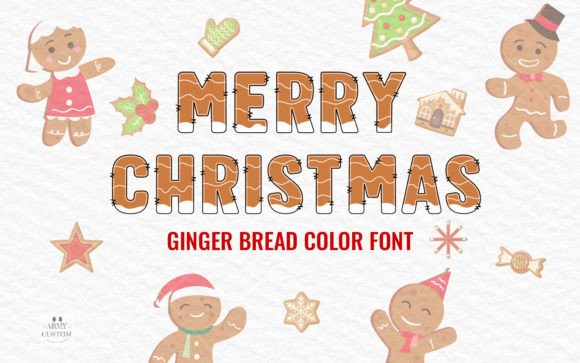
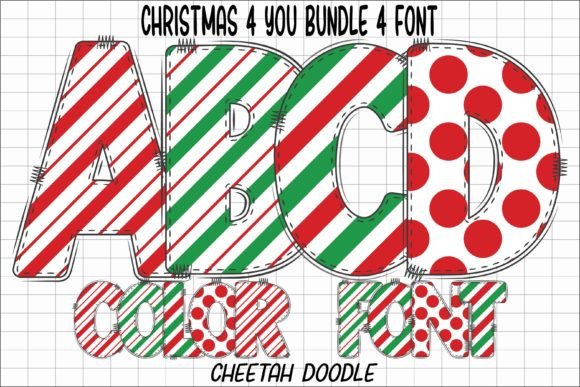
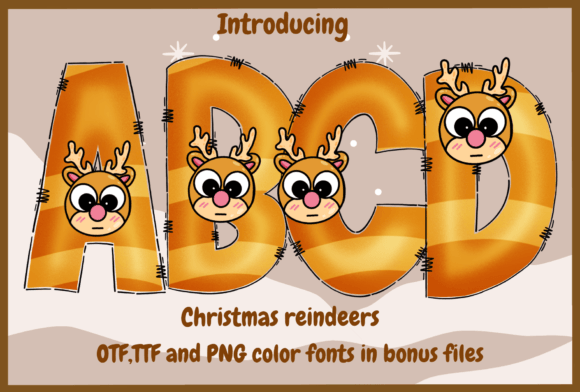
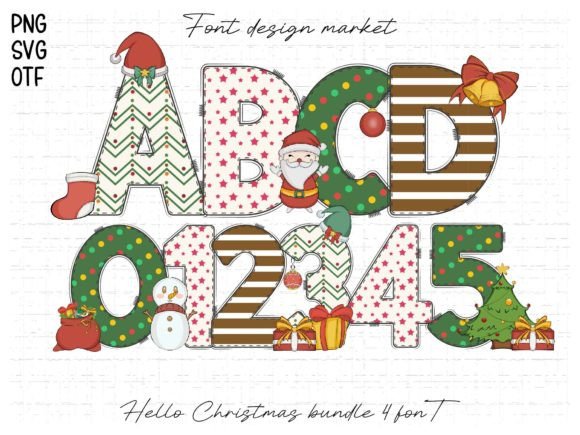
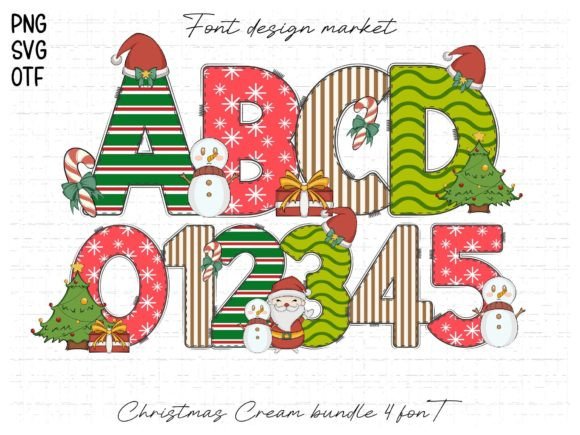
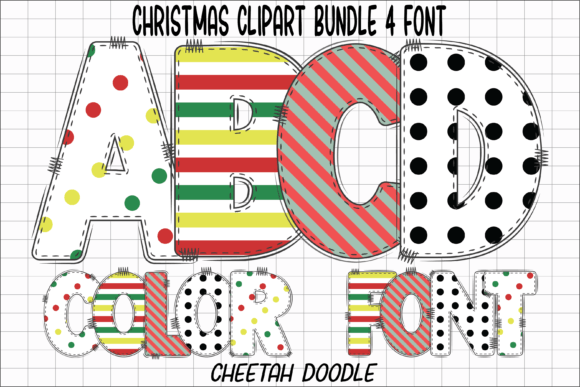
Christmas Clipart isn't just another script or serif typeface with a holiday theme. It's a decorative color font, meaning the letters themselves are designed with built-in festive elements—think tiny snowflakes, candy cane stripes, or holly berry accents in full color. This approach provides a level of visual richness that a standard monochrome font simply can't match. For a small business owner rushing to finalize holiday packaging or a content creator prepping a week's worth of Instagram stories, this can be a game-changer. It allows you to add detailed, celebratory graphics directly into your text, creating an instant focal point.
Practical Applications for a Festive Typeface
The true value of any design asset is measured by its utility. A font like Christmas Clipart finds its strength in projects where a bold, cheerful statement is needed. Its personality is inherently playful and nostalgic, making it a superb choice for a wide range of creative and commercial applications.
For branding and logo design, it can serve as a seasonal element. Imagine a coffee shop using it for their "Holiday Blend" cup sleeves or a bakery for their Christmas cookie box labels. It instantly communicates the seasonal offering without a single word of explanation. In packaging design, it can make a product feel gift-ready, adding perceived value and shelf appeal. Think of artisan soaps, candles, or gourmet popcorn—the font does the heavy lifting of conveying the holiday spirit.
Moving into the digital space, its impact is just as strong. For social media graphics and website banners, it cuts through the noise of a crowded feed. A sale announcement, a holiday recipe post, or a festive event invitation rendered in a colorful, textured font is far more likely to stop a scroll than standard text. Bloggers and content creators can use it for eye-catching titles or pull quotes in editorial layouts, giving their digital publications a professionally designed feel. It's also perfect for digital products like printable holiday planners, gift tags, or party invitations sold on Etsy or Creative Market.
For those in the crafting world, its applications are nearly endless. The black version's compatibility with cutting machines like Cricut opens up a universe of possibilities for merchandise and physical goods. Design custom t-shirts, tote bags, or mugs with a single, cohesive graphic. Create vinyl decals for ornaments or wall art. The ability to cut out the detailed shapes of the letters allows for clean, professional-looking results on a variety of materials, from cardstock to heat-transfer vinyl.
Matching Font Personality to Project Goals
Choosing a premium font is about more than just liking how it looks in a preview. It's a strategic decision that affects how your message is received. The Christmas Clipart typeface carries a specific personality—it's festive, decorative, and leans towards a handwritten font or illustrative style. This makes it ideal for projects targeting a sense of warmth, tradition, and playful celebration.
It's less suited for lengthy body text or formal corporate communications, where a clean sans serif font or a classic serif font would be more appropriate. Its strength lies in headlines, logos, and short, impactful phrases. This is where understanding font pairing becomes critical. To maintain readability and professional balance, pair it with a simpler, more neutral typeface. A clean sans serif for subheadings or body copy can provide a visual rest and ensure your main message isn't lost. For example, a bold, clean modern typography style like Montserrat or Lato works beautifully to ground the festive flair of the Christmas font.
Before committing, always test the font in your specific design software. Check how the colored elements render and ensure the size and detail work for your intended application. What looks charming on a large poster might become a muddy blob on a small business card. Readability considerations are paramount; while decorative, the font should still allow your audience to easily read the word or phrase.
Understanding the Technical Details and Licensing
A practical, real-world understanding of your tools prevents frustration down the line. The Christmas Clipart font comes with an important technical distinction that designers and crafters must heed. The color version, which delivers the full festive effect, is an OpenType color font. This technology is supported by specific design programs like Adobe Photoshop, Adobe Illustrator, Silhouette Studio, and Inkscape.
However, it is not compatible with Cricut Design Space when using the color OTF or TTF files. The Cricut software does not support the color font tables. This is why a separate black version is included. This monochrome version is fully compatible with Cricut and other cutting machines, allowing you to use the decorative letter shapes for cutting projects where you can then apply color through different vinyl or cardstock materials. Knowing this difference upfront saves time and ensures you select the correct file for your workflow.
Equally important is the commercial licensing. If you're using the font for client work, merchandise you sell, or marketing materials for your business, you must ensure your license covers commercial use. Reputable font marketplaces and foundries are clear about their licensing terms. Reviewing the license agreement is a non-negotiable step for any professional project to avoid legal issues down the road. It protects both you and the font creator.
Ultimately, a font like Christmas Clipart is a specialized tool in a designer's or creator's toolkit. It won't replace your go-to display font or your trusted script font, but when the brief calls for undeniable holiday cheer, it delivers. It solves a specific problem—adding complex, colorful festive detail quickly and consistently. By understanding its personality, its ideal use cases, and its technical requirements, you can leverage it to create cohesive, engaging, and professionally polished holiday designs that resonate with your audience and bring your seasonal projects to life.