Unwrap the Magic: Using Christmas Letters in Your Holiday Designs
The moment you see the first string of lights go up or catch the scent of pine in the air, you know it’s time. For designers, entrepreneurs, and creators, the holiday season isn’t just about festivities—it’s the busiest time of the year for visual communication. Whether you are launching a winter collection, creating social media ads, or designing a family card, the typography you choose sets the emotional tone immediately. While standard sans-serifs are clean, they often lack the warmth needed to evoke that cozy, nostalgic holiday spirit. This is where a specialized Christmas Letters font steps in, transforming standard text into a celebration of the season.
More Than Just Text: The Appeal of Color Fonts
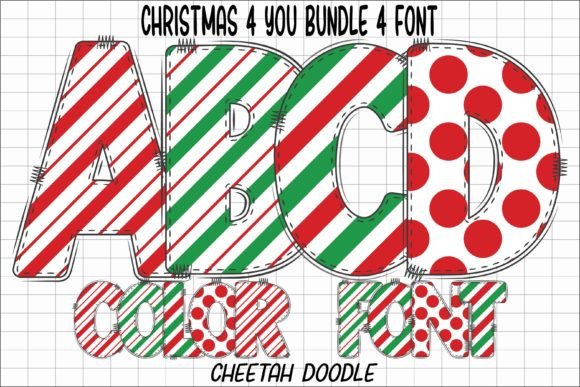
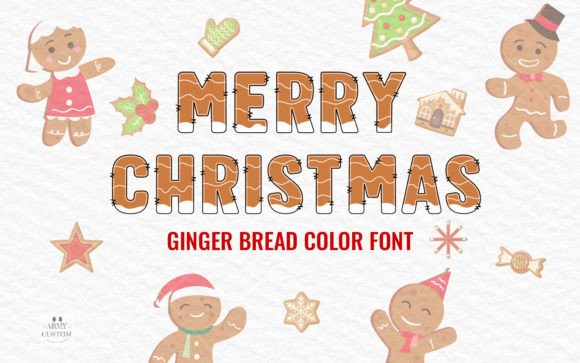
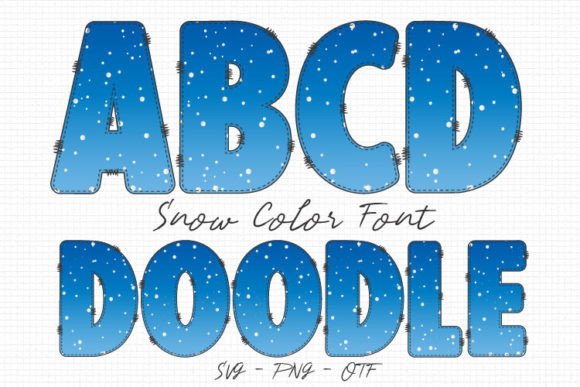
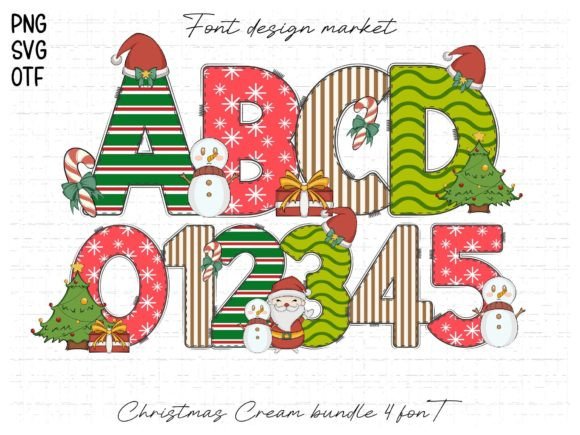
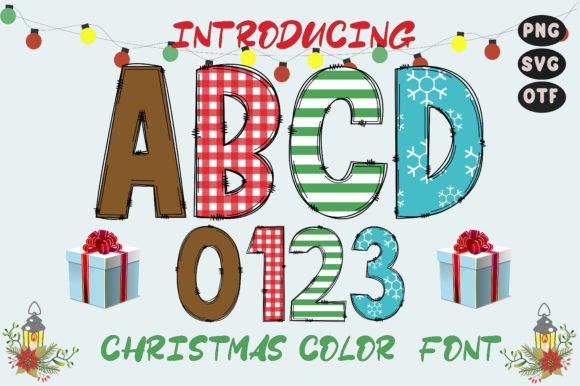
If you haven't explored the world of color fonts yet, you are missing out on a significant shift in modern typography. Traditionally, fonts are monochromatic—you apply a color to the entire glyph. However, Christmas Letters is a premium font utilizing OpenType-SVG technology. This means the texture, shading, and multiple colors are baked directly into the font file.
Imagine typing a header and seeing it rendered in a festive red and green palette with realistic texture effects, without having to layer multiple objects in your design software. This capability allows for a level of detail that standard vector fonts simply cannot achieve. It acts almost like an instant design asset, giving you the look of a complex illustration with the ease of typing on a keyboard. For creators working on merchandise or packaging design, this offers a distinct advantage: it saves time while delivering high-impact visual results that catch the consumer's eye.
Creative Applications: From Branding to Social Feeds
One of the most common mistakes in holiday marketing is using generic typography that fails to stand out in a crowded feed. Integrating a display font like Christmas Letters can revitalize your content strategy across various platforms.
Here is how you can apply this typeface to different aspects of your projects:
- Social Media Graphics: In the scroll-heavy environment of Instagram or TikTok, a colorful, textured header stops the thumb. Use it for flash sale announcements or holiday countdown posts to create immediate urgency and excitement.
- Logo Design and Branding: If you run a seasonal business or a boutique shop, consider a temporary holiday logo refresh. Swapping your standard wordmark for a festive script or display font during December can humanize your brand and show you are in tune with the season.
- Packaging and Labels: For small business owners selling goods like cookies, candles, or cosmetics, the label is your primary salesperson. A creative font with built-in color effects makes your product look gift-ready, potentially increasing its perceived value on the shelf.
- Invitations and Cards: Whether digital or print, holiday invitations need to feel special. This font serves as the perfect centerpiece for wedding invitations, office party flyers, or personalized family cards.
- Merchandise: T-shirts, tote bags, and mugs are huge during the holidays. A bold, festive typeface ensures the design is legible and impactful, even from a distance.
Enhancing Brand Recognition and Professionalism
Typography is a silent ambassador for your brand. When you choose a font that aligns with the specific goals of your campaign, you improve brand recognition. Customers begin to associate specific visual cues with your business. If your holiday marketing consistently uses high-quality, festive design assets, it creates a cohesive experience that builds trust.
However, professionalism in design often comes down to restraint and readability. While a decorative font like Christmas Letters is visually stunning, it is best used for headlines, sub-headers, and call-to-action buttons. Because of its intricate detailing and color properties, it functions as a display font. Attempting to use it for long paragraphs of body copy would likely result in eye strain for your audience and a cluttered layout.
To maintain a professional presentation, focus on font pairing. Contrast is key. If your primary header uses the festive, detailed style of Christmas Letters, pair it with a clean, geometric sans serif font for the body text. This hierarchy guides the reader’s eye naturally from the exciting headline to the informative details, ensuring your message is both seen and understood.
Technical Considerations for Your Workflow
Before you download and install any new typeface, it is vital to understand the technical environment of your project. Christmas Letters is an OpenType-SVG (Scalable Vector Graphics) font. This format is revolutionary for web design and digital illustration, but it does come with specific compatibility requirements that differ from standard TTF or OTF files.
This particular creative font is optimized for software that supports advanced typography, such as Adobe Photoshop, Adobe Illustrator, and Inkscape. It is also compatible with Silhouette software for those doing vinyl cutting or crafting. These platforms can interpret the embedded color data, allowing you to render the text exactly as the designer intended.
However, it is important to note the limitations regarding cutting machines. The product files (OTF/TTF) are not compatible with Cricut machines. Cricut Design Space generally does not support the complex SVG data required for color fonts, meaning the machine would likely read the file as a standard black outline or fail to register it correctly. If you are designing specifically for Cricut projects, you would need to convert the text to a standard path or shape within a compatible design program first, or use a standard vector font. Always check the "Ultimate Font Guide" provided by the developer to ensure your software supports these advanced features before purchasing.
Practical Tips for Implementation
Once you have confirmed your software is compatible, implementing Christmas Letters into your workflow is straightforward, but a few best practices will help you get the most out of the asset.
- Test Your Backgrounds: Because this font includes color data, it will interact with your background differently than a standard black font. Test it against dark backgrounds to make the colors pop, or against light backgrounds for a softer, more whimsical look.
- Review the Styles: Often, premium fonts come with alternate characters or different weights. Explore the glyph panel in Photoshop or Illustrator to see if there are swashes or ligatures that can add a unique touch to your headers.
- Check Commercial Licensing: If you are a small business owner or entrepreneur creating products for sale, you must ensure your license covers commercial use. This applies to anything from digital downloads to printed merchandise.
- Optimize for Web: If using this for a website header, keep in mind that SVG fonts can have larger file sizes than standard text. Ensure your site speed isn't negatively impacted by optimizing the surrounding assets.
Bringing the Holiday Spirit to Life
The goal of holiday design is to evoke emotion. Whether it is the nostalgia of childhood Christmases or the excitement of a seasonal sale, your typography plays a massive role in storytelling. Christmas Letters isn't just a collection of glyphs; it is a tool that injects personality into your work. By using it strategically for headlines, logos, and key graphics, you can create a visual experience that resonates with your audience. It bridges the gap between a standard layout and a festive celebration, ensuring your projects look polished, professional, and ready for the season.